
This post contains affiliate links. If you buy through them, Securely Sorted may earn a commission at no extra cost to you. Learn more.
If you only make one security upgrade this year, make it a password manager. Most hacked accounts don’t come from movie-style hacking. They come from reused or weak passwords that leaked in someone else’s data breach.
The problem it solves
When a website gets breached, criminals take the leaked email and password combinations and try them on other sites: your email, your bank, your Amazon account. This is called credential stuffing, and it works because most people reuse passwords.
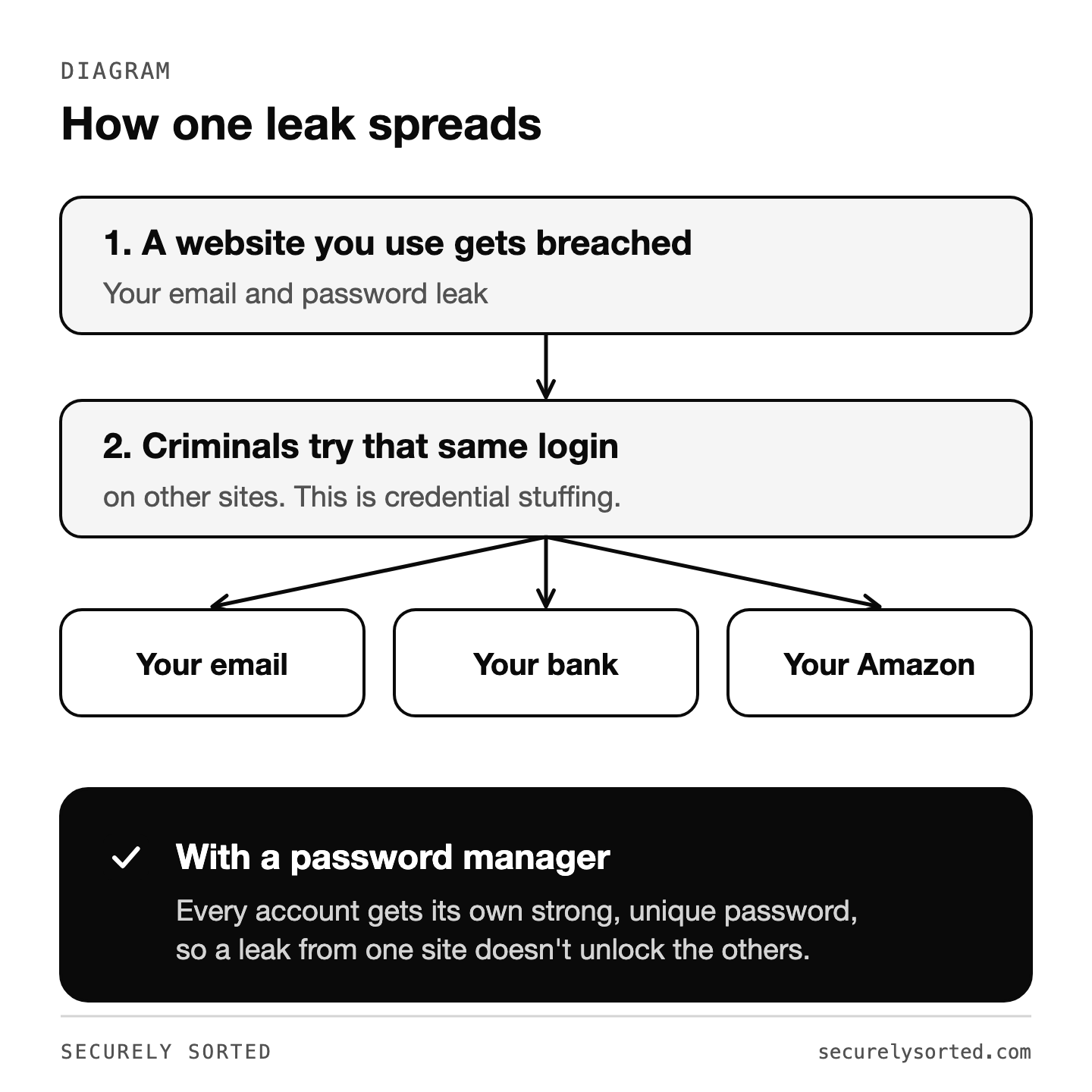
A password manager fixes that by creating a strong, unique password for every account and remembering all of them for you. You only remember one strong master password.
What a password manager does
- Generates long, random passwords for every site
- Stores them in an encrypted vault only you can unlock
- Autofills logins on your computer and phone
- Warns you about weak, reused, or breached passwords
- Stores passkeys, the newer password-free way to sign in
- Shares logins safely with family or coworkers
“Isn’t putting all my passwords in one place risky?”
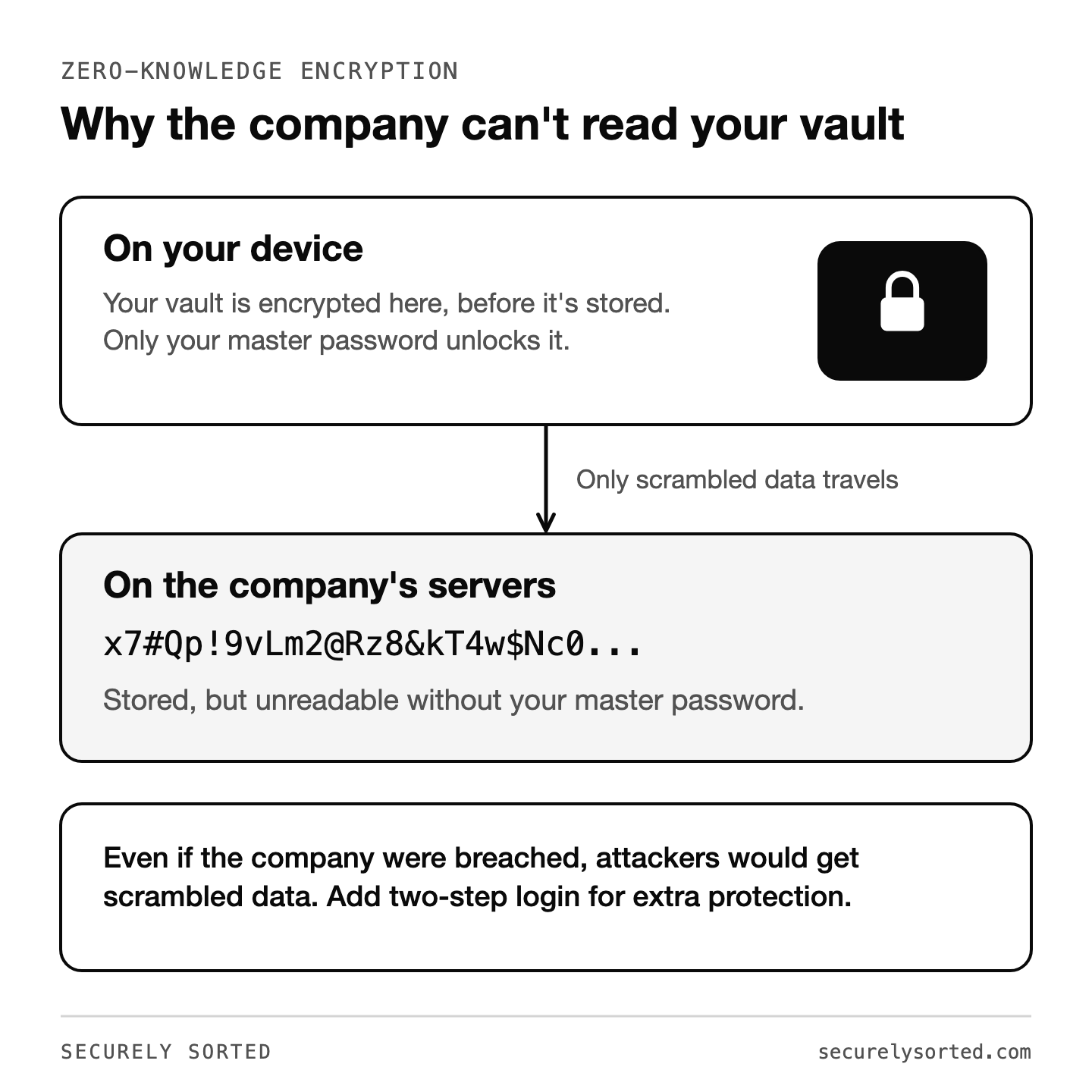
It’s a fair question. Reputable password managers use zero-knowledge encryption: your vault is encrypted on your device before it’s stored, and the company can’t read it. Even if the company were breached, attackers would get scrambled data. Compared to reusing the same few passwords everywhere, it’s a huge step up. Add two-step login to your password manager account for extra protection.
What to look for
- Zero-knowledge encryption and independent security audits
- Apps for every device you use, plus browser extensions
- Passkey support
- Breach alerts and password health reports
- Easy sharing if you have family or a team
- Simple import from your browser’s saved passwords
Good options
Polished and easy for families and businesses. Its “Secret Key” adds a second layer to your master password, and Watchtower flags weak or breached passwords.
Clean and simple, from the makers of NordVPN. Good for beginners.
Privacy-focused, with a generous free plan and email aliases that hide your real address.
Bitwarden
A well-regarded open-source option with a capable free plan. (We don’t earn anything from Bitwarden; it’s simply a good choice for budget-minded readers.)
If you’re choosing for the first time, don’t overthink it: any of the options above is a big step up from reusing passwords. For most people I’d point toward one of the paid options, especially if you want built-in breach monitoring, premium support, or easy family sharing.
Ready to set one up? Follow How to Set Up a Password Manager in 15 Minutes. Setting one up for a parent instead? See How to Set Up a Password Manager for Elderly Parents, and if you need to share logins with family, do it safely instead of texting them.
Sources: CISA: Use Strong Passwords, official product pages for each password manager.
Mcarthur, Founder of Securely SortedI’ve spent 5+ years in hands-on technical support, and now I’m writing the guides I wished existed.