This post contains affiliate links. If you buy through them, Securely Sorted may earn a commission at no extra cost to you. As an Amazon Associate, we earn from qualifying purchases. Learn more.
Your router is too old the moment its maker stops sending security updates, no matter how well it still works. Other signs: it can’t use WPA3, it’s Wi-Fi 5 or older, it struggles to keep up, or it’s more than three to five years old. Here’s how to check yours in about five minutes.
Routers are easy to forget. They sit behind the TV, the lights blink, and the internet works. But a router is a small computer that faces the internet all day, and like any computer, it needs updates. Once those stop, it slowly becomes an easy target.
Why an old router is a real risk
In May 2025, the FBI warned that criminals were taking over old routers that no longer get updates, using malware called TheMoon. The hijacked routers were then sold as “proxies,” letting other criminals hide their own activity behind the owners’ internet connections. Many owners may never notice, because the router can keep working normally.
The FBI named 13 older Linksys and Cisco models that were being targeted:
- Linksys: E100, E1000, E1200, E1500, E1550, E2500, E300, E3200, E4200, WRT310N, WRT320N and WRT610N
- Cisco: Valet M10
If you own one of these, replace it. But the lesson applies to every brand: any router that no longer gets security updates is at risk, because known security holes stay open for good.
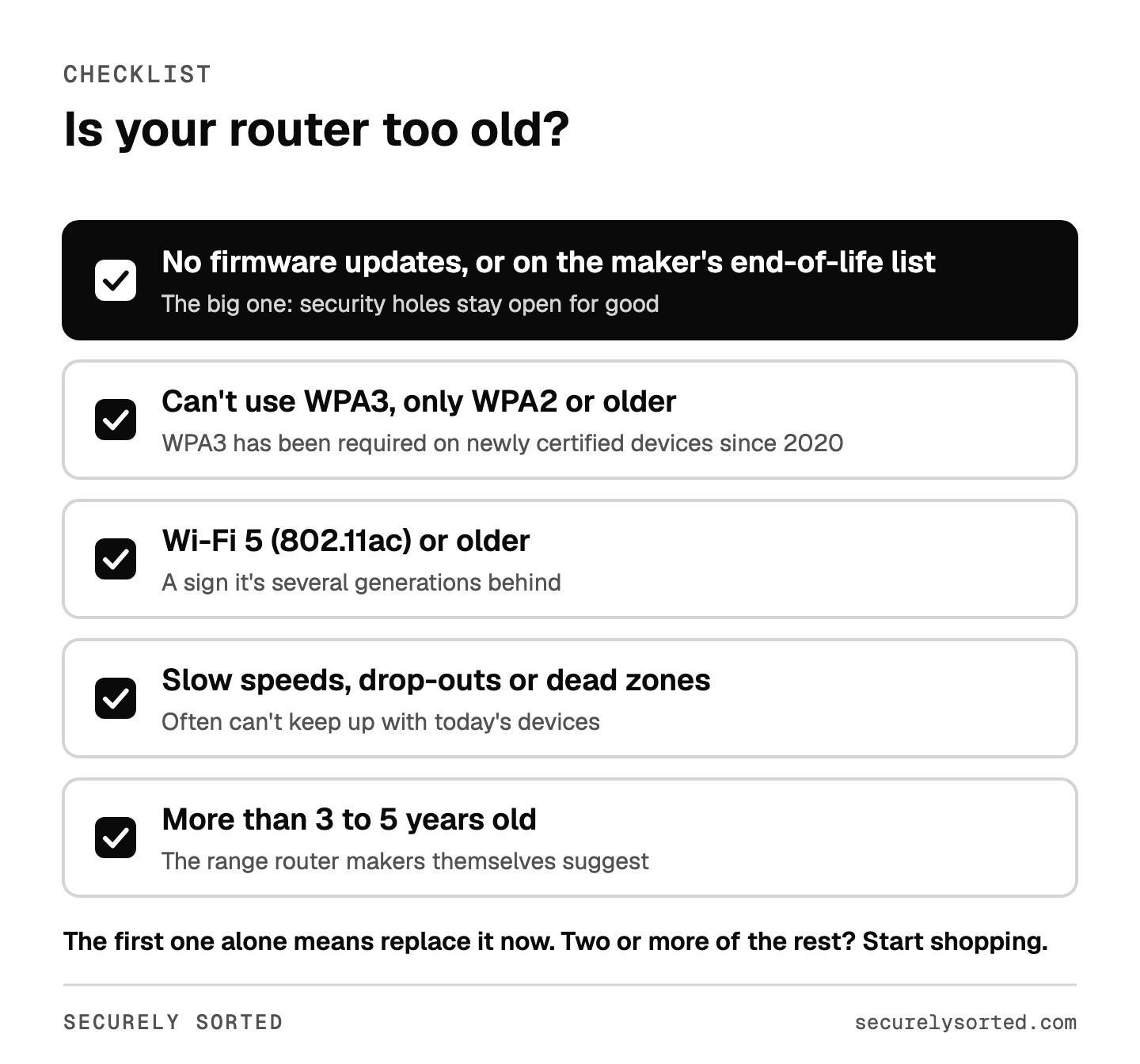
5 signs your router is too old
1. It no longer gets firmware updates
This is the one that matters most. Sign in to your router’s settings (or its app) and look for the firmware version and the date of the last update. Then check whether the maker still supports your model:
- Netgear end-of-service list
- Asus end-of-life list
- TP-Link end-of-life list
- For other brands, search for your model number plus “end of life” or “firmware”.
One catch: some makers put a model on their end-of-life list when they stop selling it, and may keep sending security fixes for a while after. If your model is on a list, check its support page for the most recent firmware date. If there hasn’t been an update in a long time, treat it as unsupported.
2. It can’t use WPA3
WPA3 is the newest Wi-Fi security standard. The Wi-Fi Alliance, which certifies Wi-Fi gear, has required it on newly certified devices since 2020. If your router only offers WPA2, it’s at least several years old. WPA2 with AES is still acceptable for now, so this alone isn’t an emergency, but it’s a clear sign the router is aging.
3. It’s Wi-Fi 5 or older
Look at the label or the box. “Wi-Fi 5” or “802.11ac” (or the even older “802.11n”) means it’s at least a couple of generations behind Wi-Fi 6, 6E and Wi-Fi 7. Older routers can still be secure if they’re updated, but they’re usually the ones nearing the end of their support.
4. It can’t keep up
Buffering on streams, slow downloads, video calls that freeze, or rooms where the Wi-Fi drops out are all common signs that a router can’t handle the number of devices in a modern home. If you’re paying for fast internet but not getting it over Wi-Fi, the router may be the bottleneck.
5. It’s more than 3 to 5 years old
When Consumer Reports asked router makers in 2021 how long to keep a router, Netgear suggested about three years, Google and Linksys said three to five, and Amazon’s eero said three to four. Age alone isn’t a reason to panic, but if your router is older than that and shows any of the signs above, it’s time.
Rent your router from your internet provider?
Ask your provider whether your equipment still gets security updates and whether a newer model is available. Many providers update the equipment they rent you, and they may be able to swap an old unit for a newer model. If you’d rather own your router, our upcoming guide to buying your own modem covers how to stop paying the rental fee.
What to look for in a replacement
- Wi-Fi 6 or newer, which means WPA3 support is built in.
- Automatic updates, ideally turned on by default.
- A clear support promise. Check how long the maker says it will provide security updates.
- Mesh if you have a larger home or dead zones. Mesh systems use two or three units to spread the signal.
- A brand with a clear path in the US. New 2026 FCC rules limit new foreign-made router models unless the maker has an exemption. Netgear, eero and Asus have one. See Is TP-Link Banned in the US? for the details.
Options to compare: Wi-Fi 6 routers on Amazon, Wi-Fi 7 routers on Amazon, mesh Wi-Fi systems on Amazon.
Do a factory reset first. Most routers have a small reset button you hold for several seconds while the router is on (your manual or the maker’s site has the exact steps). That wipes your Wi-Fi password and settings. Then recycle it as electronic waste instead of putting it in the trash.
Once the new router is plugged in, spend 20 minutes on our router security checklist before you connect everything else.
A router that “still works” can feel like a reason to keep it. The better question is whether it still gets updates. If the answer is no, the money you save by keeping it isn’t worth the risk to every device on your network.
Check your router’s last firmware update and the maker’s support page today. If it no longer gets updates, replace it with a Wi-Fi 6 or newer model that updates itself, then secure it with our 20-minute checklist. If it’s still supported, keep it updated and revisit the question in a year.
Sources: BleepingComputer: FBI warning on end-of-life routers, The Register: End-of-life router botnet shut down, Wi-Fi Alliance: Wi-Fi security and WPA3, Consumer Reports: How to tell when it’s time to replace your router (2021), CISA: Securing Your Home Wi-Fi.

Mcarthur, Founder of Securely SortedI’ve spent 5+ years in hands-on technical support, and now I’m writing the guides I wished existed.