

This post contains affiliate links. If you buy through them, Securely Sorted may earn a commission at no extra cost to you. Learn more.
Short answer: most people with a modern Windows PC or Mac already have decent built-in protection. But “decent” isn’t the same as “enough” for everyone. Here’s how to tell which group you’re in.
What you already have for free
Windows 10 and 11 come with Microsoft Defender (shown as “Windows Security”). It runs automatically, updates itself, and scores well in independent lab tests. Macs have built-in tools that check apps before they open and block known malware.
If you keep your computer updated, download apps only from trusted sources, and think before you click, built-in protection covers a lot of ground.

Where built-in protection falls short
Built-in tools focus on blocking malware. Paid security suites usually add layers that protect you from the problems people actually run into today:
- Scam and phishing protection that warns you about fake websites and dangerous links across browsers
- Identity and dark web monitoring that alerts you if your email or passwords show up in a data breach
- Multi-device coverage for phones, tablets, and family members’ computers under one account
- Extras like a password manager, VPN, parental controls, or cloud backup bundled in
- Real support when something goes wrong
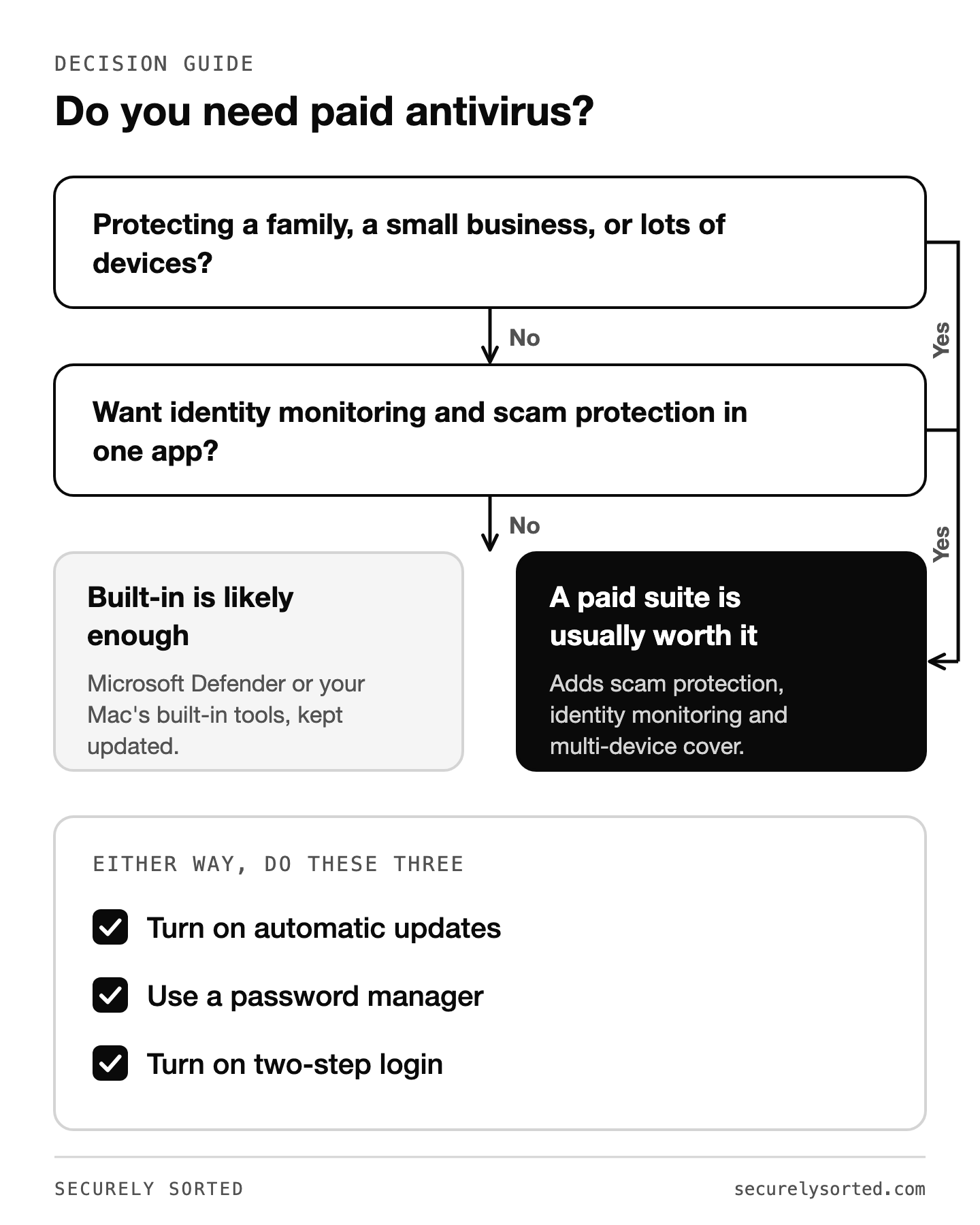
You can probably skip paid antivirus if…
- You use one up-to-date Windows PC or Mac
- You don’t download software from unofficial sites
- You already use a password manager and two-step login on important accounts
- You’re comfortable spotting scam emails and texts
Paid antivirus is worth it if…
- You’re protecting a family with several devices, including kids or older relatives who are scam targets
- You run a small business and can’t afford downtime
- You want identity monitoring and scam protection in one place
- You’d rather have one app handle security than piece it together
When I was on Windows, I was in the first group myself, with just Microsoft Defender.
Good options if you decide to upgrade
- Bitdefender: consistently near the top of independent lab tests, with light impact on computer speed. A strong all-round choice.
- Norton: well known for identity protection features in its higher plans. Good for families who want everything in one place.
- Malwarebytes: simple and easy to use, and popular as a cleanup tool if you think your computer is already infected.
For lab scores and a deeper comparison, see Best Antivirus for Windows: What the Independent Labs Say.
Whatever you choose, do these three things
- Turn on automatic updates for your operating system and browser. Most attacks use old, already-fixed security holes.
- Use a password manager. Reused passwords cause more account takeovers than viruses do. Start with our password manager guide.
- Turn on two-step login for email, banking, and social media.
Common questions
How do I check that Microsoft Defender is on? Open the Start menu, search for Windows Security, and choose Virus & threat protection. If real-time protection is on and it says no actions are needed, you’re covered.
Can I run two antivirus programs at once? Not as two active scanners. On home versions of Windows, installing another antivirus automatically turns Microsoft Defender off so only one is scanning, and Defender switches back on if you uninstall the other one. Pick one and let it do the job.
Do Macs need antivirus? Macs have built-in tools that check apps before they open and block known malware. For one careful person who keeps the Mac updated and installs apps from trusted sources, that covers a lot. The same lists above apply: if you’re protecting a family or a business, a paid suite can still be worth it.
Is free antivirus safe? Free protection from a reputable company is fine. Microsoft Defender is free and scores well in independent lab tests. Be wary of pop-ups that claim your computer is infected and push a “free antivirus” download. Those are often scams.
Built-in protection is a solid floor, not a ceiling. If you’re one careful person on one device, you may not need to pay. If you’re protecting a family or a business, a paid suite adds scam protection, identity monitoring, and peace of mind that’s usually worth the yearly cost. On Windows, make sure Defender itself is actually configured right: see Windows Defender Settings to Turn On Today.
Sources: AV-TEST, AV-Comparatives, Microsoft: Windows Security, Microsoft: Defender Antivirus in Windows.

Mcarthur, Founder of Securely SortedI’ve spent 5+ years in hands-on technical support, and now I’m writing the guides I wished existed.