
This post contains affiliate links. If you buy through them, Securely Sorted may earn a commission at no extra cost to you. Learn more.
If you used Kaspersky antivirus in the US, you may have noticed it stopped working the way it used to, or that it was replaced on your computer. Here’s what happened, what it means for you, and what to use instead.
What happened
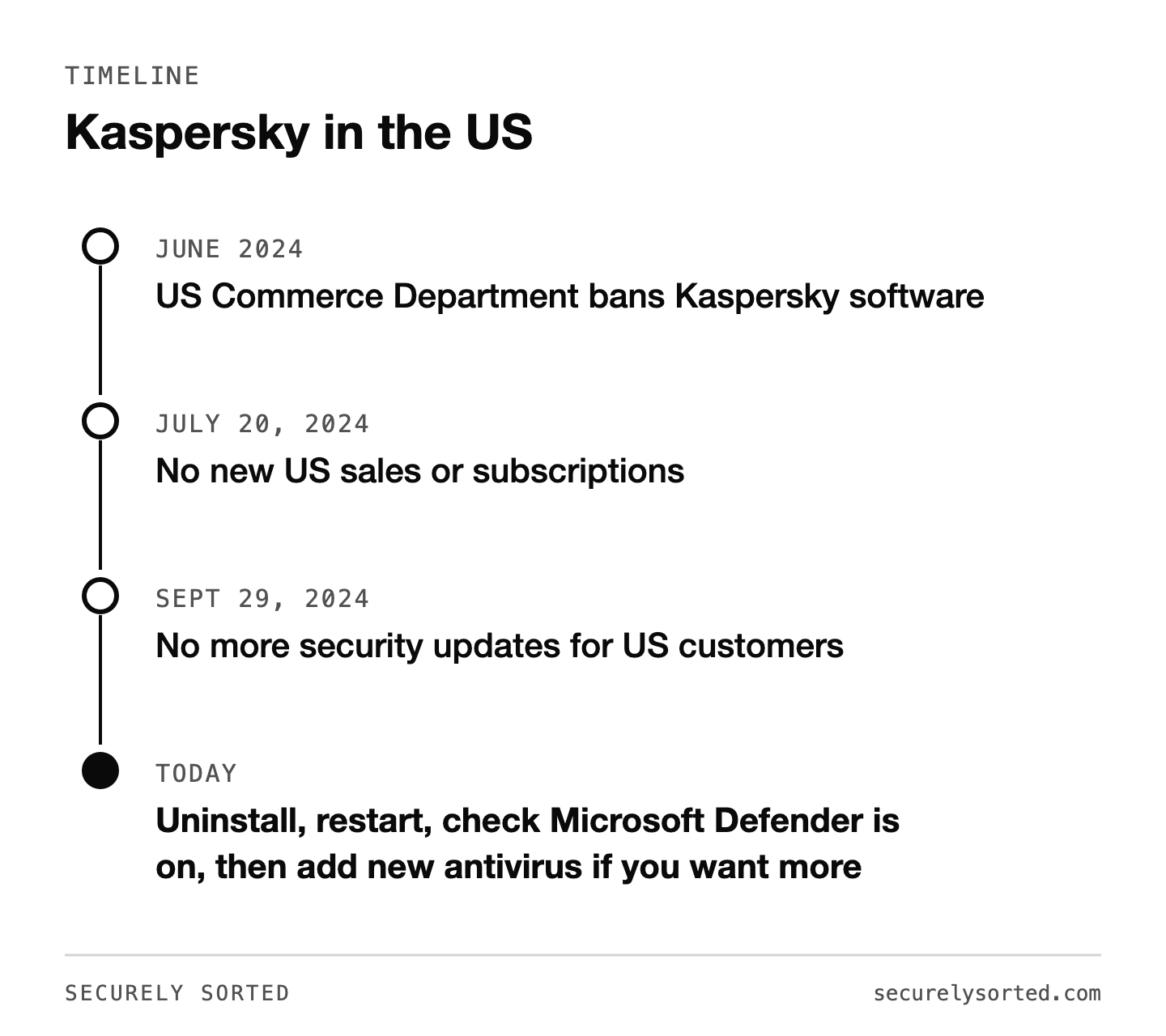
In June 2024, the US Department of Commerce issued a final determination banning Kaspersky’s antivirus and security software in the United States. The government said the software posed national security risks because of the company’s ties to Russia and the deep access antivirus software has to your computer.
- July 20, 2024: Kaspersky could no longer sell new subscriptions or sign new agreements with US customers.
- September 29, 2024: Kaspersky could no longer provide security updates to US customers.
Around that time, many US Kaspersky users found their software had been replaced by a different antivirus product called UltraAV as part of a transition Kaspersky arranged.
What it means for you
Antivirus without updates can’t recognize new threats, so an old Kaspersky install in the US is no longer protecting you. If it’s still on your computer, it’s time to remove it and switch.
How to switch in 4 steps
- Uninstall Kaspersky (and UltraAV if you don’t want to keep it) from your computer’s settings or control panel.
- Restart your computer.
- Make sure Microsoft Defender is on (Windows Security) so you’re protected right away.
- Install your new antivirus if you want more than the built-in protection.

Good alternatives
- Bitdefender: top-tier results in independent lab tests and a similar “set it and forget it” feel to Kaspersky.
- Norton: strong protection plus identity monitoring in higher plans.
- ESET: lightweight and low-fuss, good for older computers.
- Microsoft Defender: free and already on Windows; a solid baseline.
See how they compare in Best Antivirus for Windows: What the Independent Labs Say.
Common questions
Is Kaspersky illegal to use? The ban targets Kaspersky’s sales and updates in the US. Without updates, though, it can’t protect you, so continuing to use it isn’t a good idea.
Do I get a refund? It’s been messier than a clean policy. If you paid Kaspersky directly before the switch to UltraAV, UltraAV says it can’t refund that purchase since it wasn’t made with them, and people who declined the switch report mixed results getting money back. Your best shot is contacting whichever company you actually paid and asking directly.
Is UltraAV safe? It’s a legitimate product, but you weren’t asked to choose it. Feel free to pick the antivirus that fits you best.
Sources: McAfee: The Kaspersky Software Ban, Morrison Foerster: Commerce ICTS Final Determination, Kaspersky statement.

Mcarthur, Founder of Securely SortedI’ve spent 5+ years in hands-on technical support, and now I’m writing the guides I wished existed.